Affiliate Disclosure: We earn commissions through affiliate links at no cost to you.
CrushOn AI Image Generation 2026: Getting Better Results
Image generation on CrushOn AI is integrated into the chat. You describe what you want in a message and the AI generates it. The gap between weak results and strong results comes down to one thing: prompt specificity. Here's how to close that gap.
Your First Image Request
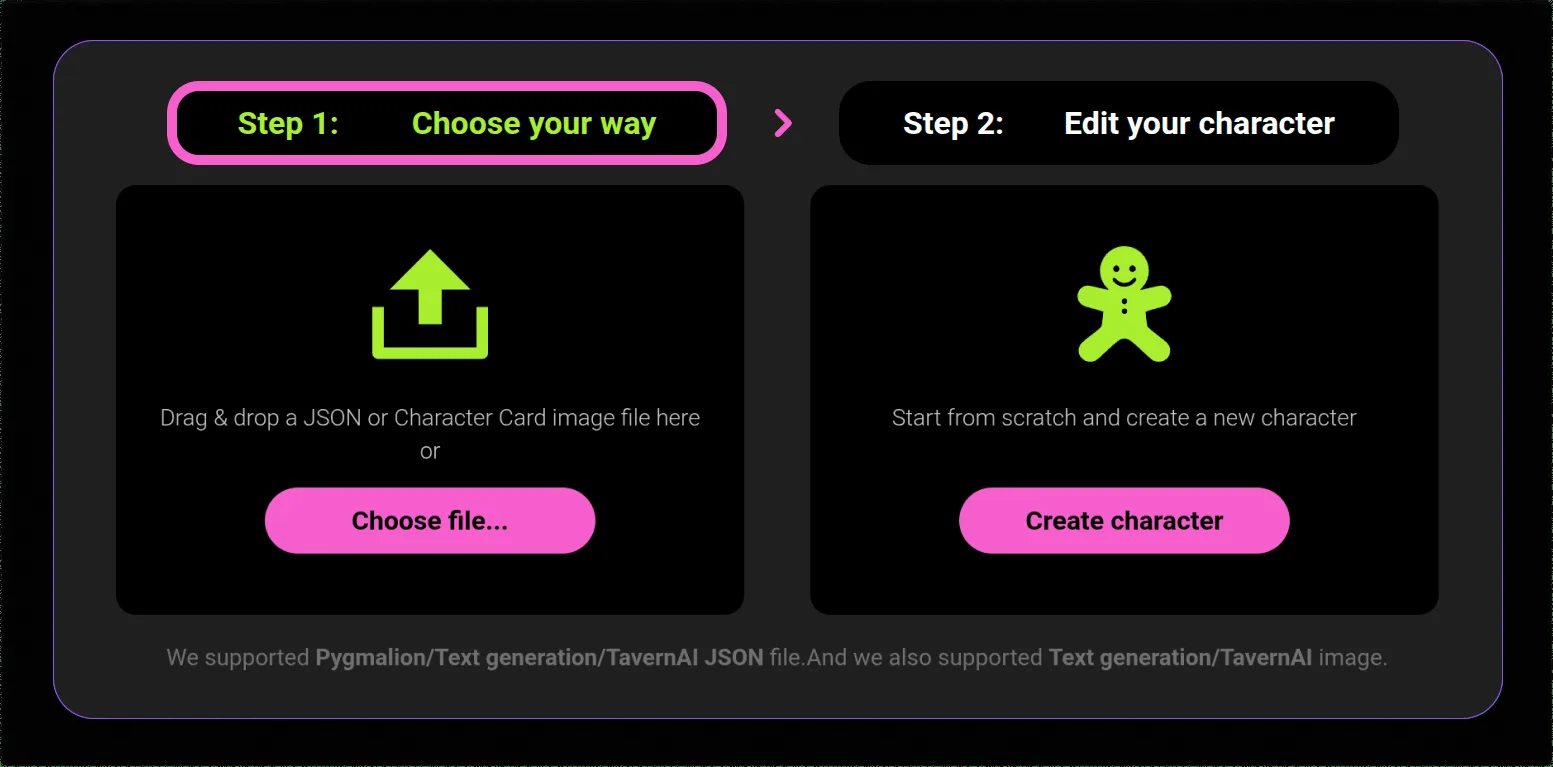
No setup required. In any conversation with any character:
- Type an image request in your message
- Use natural language: "Show me...", "Generate an image of...", "I want to see..."
- The AI processes the description and generates an image in the conversation thread
- The image appears inline with the conversation
There is no separate image tool, no separate interface. Everything happens within the chat.
Why Your First Images Probably Disappointed You
Most users' first image requests are too vague. The model fills unspecified visual details with defaults — which may or may not match what you had in mind.
What happens with a vague prompt:
"A woman in a forest" → Model picks age, hair, clothing, lighting, time of day, art style, camera angle, and mood entirely by default. The result is coherent but generic and may not resemble what you imagined.
What happens with a specific prompt:
"A woman in her mid-20s with long copper hair tied back loosely, wearing a dark green wool coat, standing in a dense pine forest in late afternoon light, sunbeams filtering through the trees, slight mist in the background, cinematic wide-angle shot, melancholy expression, photorealistic style"
The specific prompt leaves fewer decisions to the model's defaults. Each element you specify pushes the output closer to a specific visual.
Prompt Construction: The Framework That Works
Structure your prompts in layers:
Layer 1 — Subject: Who or what is in the image, with physical specifics
Layer 2 — Setting: Where, with environmental detail
Layer 3 — Lighting: Time of day, light source, quality of light
Layer 4 — Style: Photography, illustration, anime, oil painting — name the style
Layer 5 — Mood/Detail cues: Expression, atmosphere, specific details that matter
You don't need all five layers for every image. The more layers you include, the more constrained (and predictable) the output.
Keeping Character Appearance Consistent
The model does not remember what a character looked like in a previous image request. Each new request starts fresh.
The solution: Create a physical shorthand for characters you generate images of repeatedly.
Example shorthand: "[Character name]: late 20s, angular features, shoulder-length dark hair with lighter highlights, typically wears minimal jewelry, lean build, light gray eyes."
Paste this at the beginning of each image request for that character, then add scene-specific details after. The shorthand constrains the character's appearance; the scene details constrain the context.
Image Quotas by Tier
| Plan | Monthly Images | Quality | NSFW |
|---|---|---|---|
| Free | Very limited | Basic | Account-verified |
| Standard ($5.99) | 50 | Standard | Yes |
| Premium ($14.99) | 200 | HD | Yes |
| Deluxe ($49.90) | Unlimited | HD | Yes |
Quotas reset at the billing cycle date. Unused images from the current month do not carry over.
The quality difference between Standard and HD is most visible at full image display size, particularly for facial detail and complex scenes.
When Images Go Wrong: Troubleshooting
"Image not found" error: Peak-hour server congestion. Refresh and retry. Off-peak hours (early morning or late night US time) have more available capacity.
Quota exhausted: Image generation fails after the monthly limit. Wait for billing cycle reset or upgrade to a higher tier. Deluxe eliminates quota entirely.
Blank image displays: Browser cache issue. Clear cache and reload.
Generated image looks nothing like what you described: Prompt was underspecified. Identify which elements came out wrong and add more specific description for those elements.
NSFW prompt blocked: Account verification required. Free tier users need to verify age. Non-verified accounts on any tier cannot access NSFW generation.
Downloading Your Images
Desktop: Right-click the image > Save Image As.
Mobile: Long-press the image and select the save option.
Screenshot: Universal fallback on all platforms.
Ready to try CrushOn AI?
Visit CrushOn AIFrequently Asked Questions
AI image generation uses random seeds — identical prompts always produce varied outputs. For more consistent results, maximize physical description specificity. This reduces variation but does not eliminate it.
No. As of 2026, CrushOn AI does not support user photo uploads. All generation is outbound from text descriptions.
Yes. Adult and standard images share the same monthly quota (50 for Standard, 200 for Premium).
Yes, particularly at full display size. Facial details, textures, and complex scene elements render more clearly in HD. For casual in-conversation images, Standard is functional. For images you intend to keep or use at full resolution, HD is visibly better.
For troubleshooting image issues alongside other platform problems, see our not working guide.